LinkedIn Login
LinkedIn Login lets a domain's users sign in to the Hub with their LinkedIn account instead of (or alongside) a Hub password. It is one branch of the shared federation framework that also drives SAML SSO — see that page for the mechanics common to every provider (routing, dynamic strategy resolution, the shared verify function, legacy_callback_url rules, and the Helix provider signal).
Supported Features
- OAuth2 / OpenID Connect sign-in: uses LinkedIn's
openid profile emailscopes viapassport-linkedin-oauth2. - Per-domain configuration: each domain can have its own LinkedIn app credentials (
clientID/clientSecret), configured by an admin in Admin → Settings. - Find-or-create user matching: on first login, a user is created (or matched to an existing account) using the LinkedIn-provided email address; existing users are updated and reactivated if previously soft-deleted.
- State passthrough: an incoming
RelayStatequery parameter (the same mechanism used for SAML) is forwarded as the OAuth2state, so post-login redirects work the same way for both providers.
Implementation Details
Repo: 5app/hub
Configuration
In the domainFederations table (see SSO Login: Configuration for the shared columns), LinkedIn rows use type: 'linkedin', with clientID and clientSecret holding the LinkedIn app credentials — the SAML-only columns (entryPoint, cert, etc.) are unused.
LinkedIn strategy (auth/modules/federation/linkedin.js)
- Overrides
LinkedInStrategy.prototype.userProfileto call LinkedIn's OpenID ConnectGET /v2/userinfoendpoint directly (rather than the library's default profile endpoint), mappingsub/given_name/family_name/name/emailinto a Passport-shaped profile (provider: 'linkedin',id,name,displayName,emails). - Overrides
authenticateto readreq.query.RelayStateand forward it as the OAuth2stateparam, matching the SAML RelayState convention used elsewhere in the login flow. - Requests scopes
openid profile email. - Its
callbackURLis alwayshttps://{hostname}/auth/federation/callback— it never includes adomainFederations.id, regardless of which row matched (see thelegacy_callback_urlnote below). - On a successful callback, its verify function builds:
and hands this off to the shared verify function. The{nameID: profile.id,first_name: profile.name.givenName,last_name: profile.name.familyName,email: profile.emails.pop().value,federationId,provider: 'linkedin',}
provider: 'linkedin'marker is what makes LinkedIn logins distinguishable from SAML ones once persisted — this is the concrete signal behindisLinkedinLogin(see SSO Login: Federation provider signal for Helix).
Activating for a hub
The 5app LinkedIn app for SSO is located at LinkedIn Developers app. Its Auth tab holds the Client ID/Secret (domainFederations.clientID / clientSecret) and the Authorized redirect URLs for every hub domain that uses LinkedIn login:
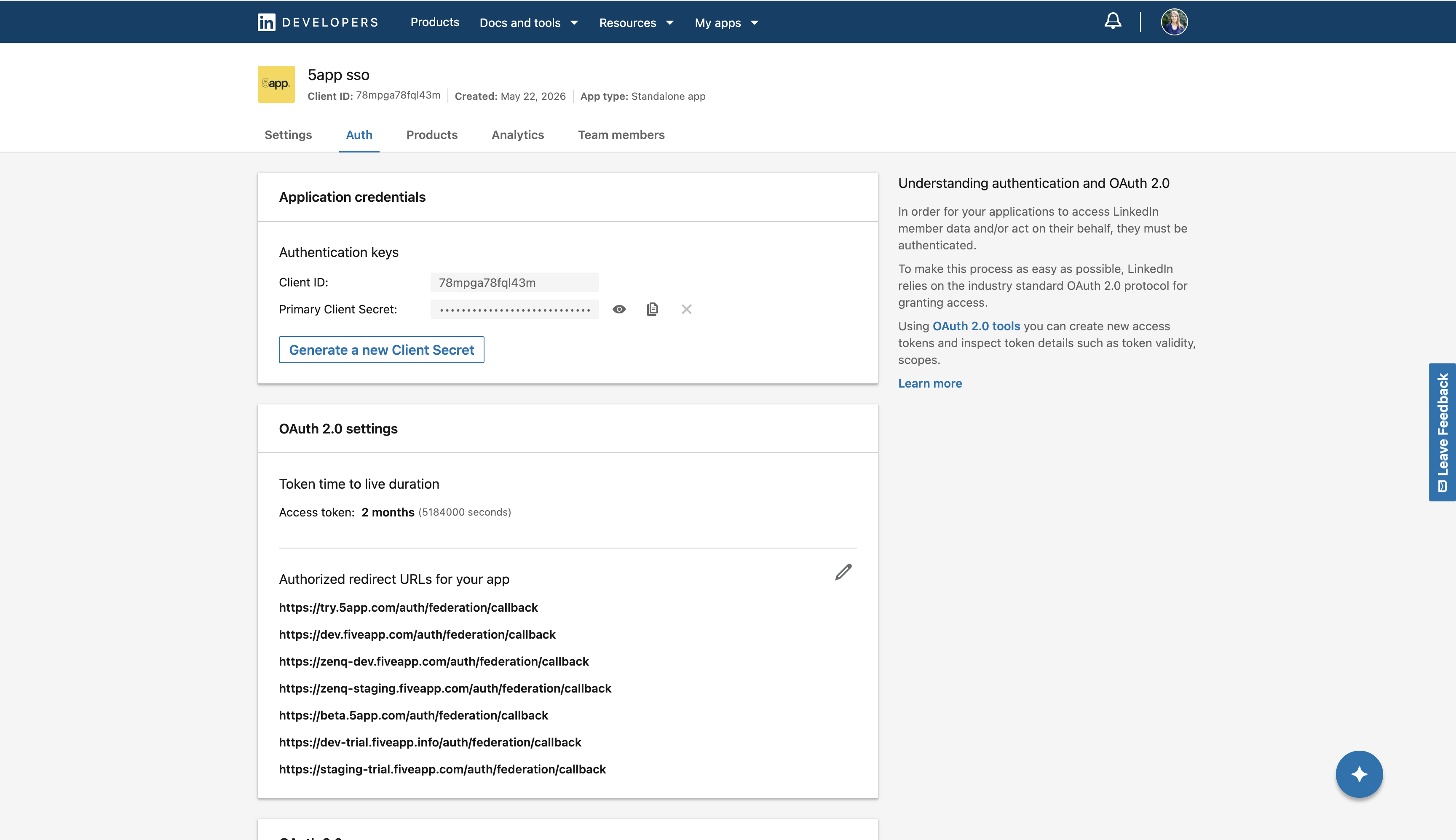
Every redirect URL registered here has the form https://{domain}/auth/federation/callback — with no domainFederations.id segment, confirming why legacy_callback_url: 1 is required below (see SSO Login: legacy_callback_url rules for the general rule).
To activate LinkedIn login for a hub, add a new entry to the domainFederations DB table:
domain_id: {hub domain id}
identity: linkedin
type: linkedin
config: {"preferred": true, "buttonSubtitle": "LinkedIn", "domainAuthority": ""}
clientID: {LinkedIn app client id}
clientSecret: {LinkedIn app client secret}
signatureAlgorithm: sha256
is_deleted: 0
legacy_callback_url: 1
legacy_callback_url must be 1The LinkedIn strategy's callback URL never includes a domainFederations.id (see above), so its row must always be the domain's legacy_callback_url: 1 row. If any other federation provider is configured for the same domain_id, ensure those rows have legacy_callback_url set to 0 and that their callback URLs include their own domainFederations.id.
Further Resources
- passport-linkedin-oauth2 — the underlying Passport strategy library.
- LinkedIn OpenID Connect docs —
/v2/userinfoand scope reference. - LinkedIn Developers app
- SSO Login — the shared federation framework this article builds on.