Emails 📧
Email providers
Emails which are sent via the Hub are sent using Mailgun.
Messages can also be sent directly to MS Teams.
Email settings in the Hub
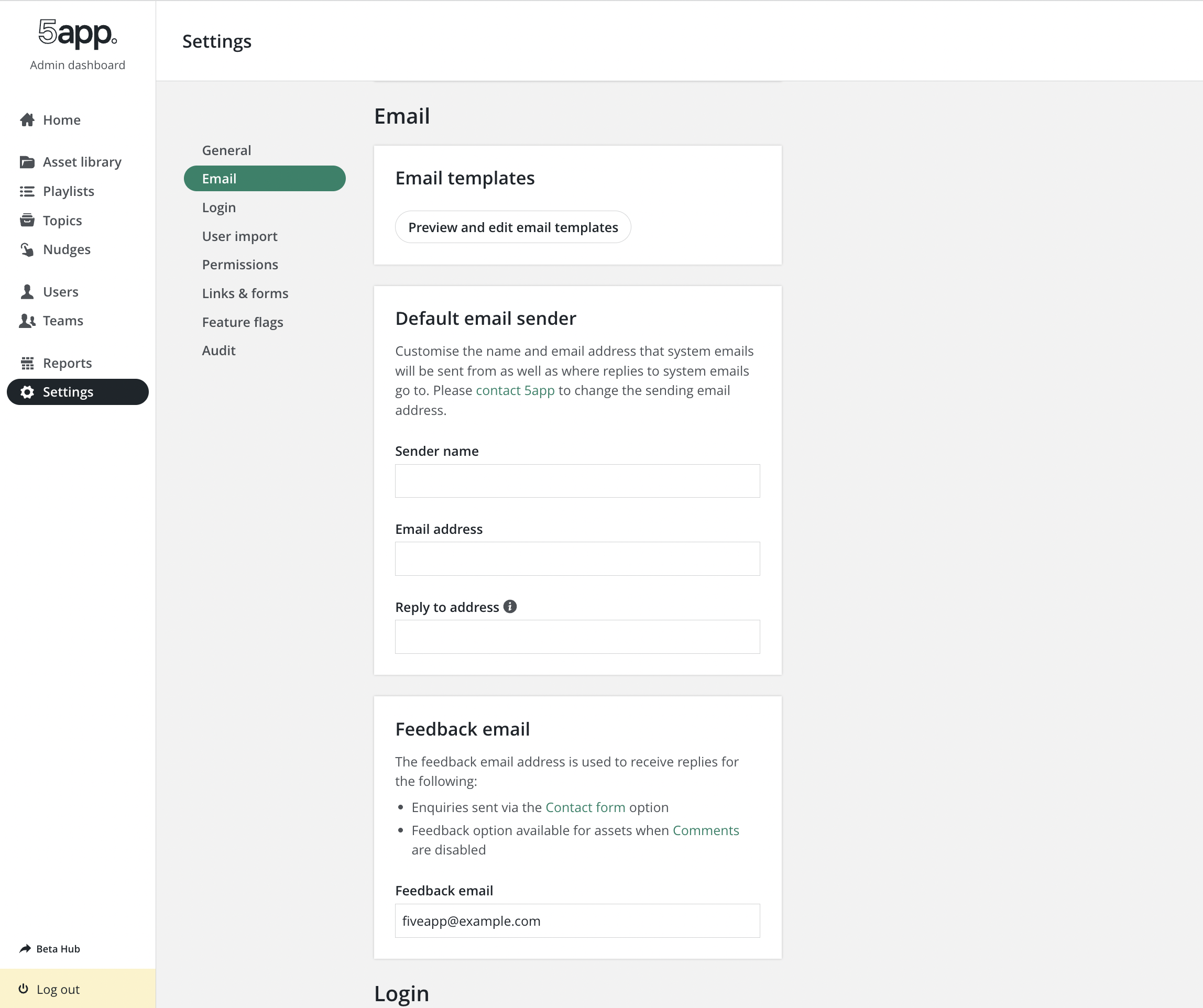
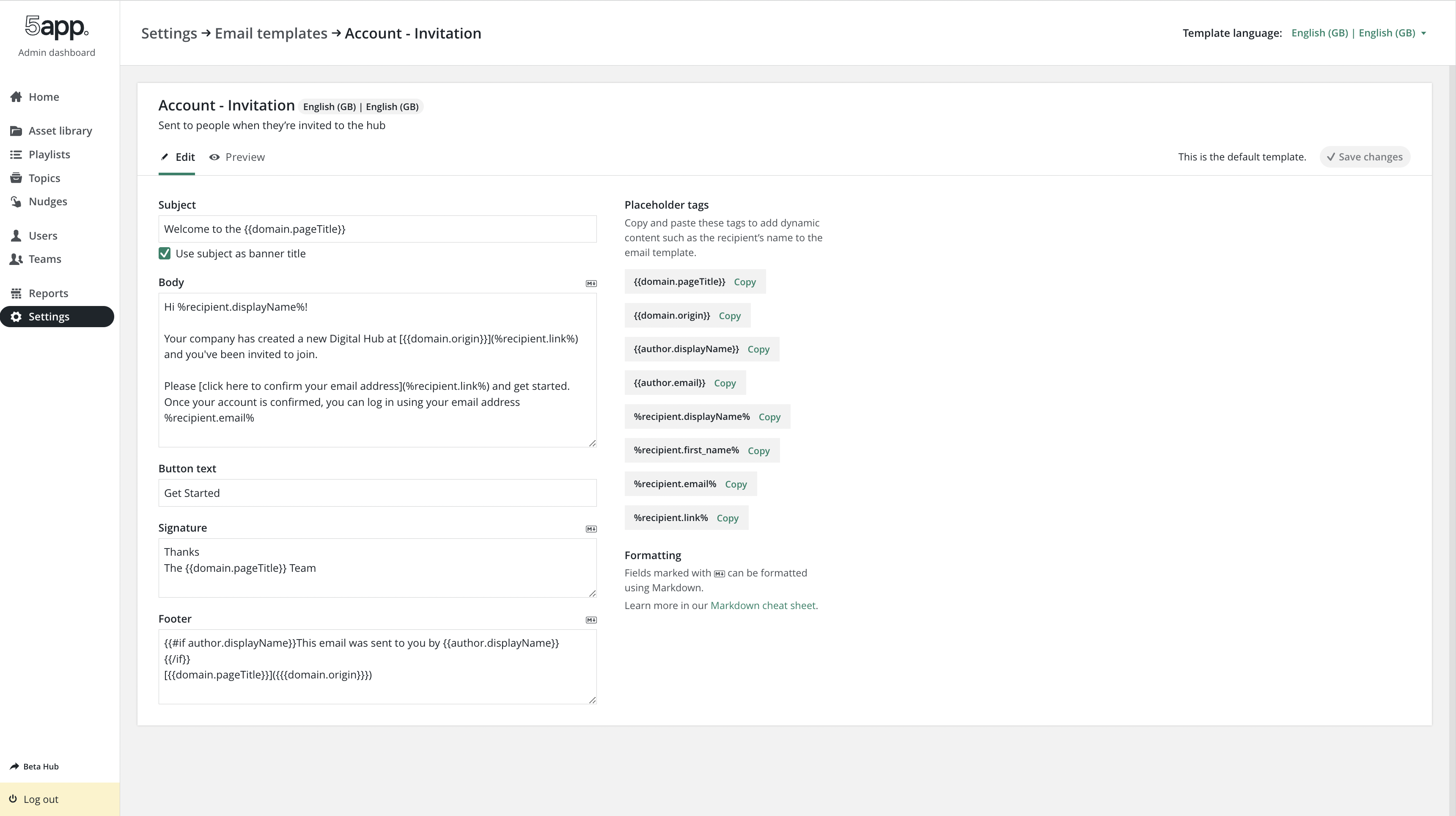
Users can view and edit email settings, edit and preview email templates and add custom email templates via the Admin Dashboard.
Available variables for an email template are displayed in the Email Editor as Handlebar variables.
Sending emails
Email sending flow
When an email is sent via postTemplatedMessages() (api/modules/messenger.js), the app first writes a message to the Hub's inbox tables, then queues the email for delivery. Both are side effects of the same call, and the DB write happens before the email is queued.
- Data model:
messages(subject, content, type, template_id, thread_id, channel:email/ms_teams),recipients(per-usersent/readflags), andthreads(groups related messages) — seeapi/db/models/. mail-servicesends the email, then patchesrecipients.sent = 1on job completion (mail-service/lib/mail-sender.js).
Email suppression list
A hard bounce (invalid mailbox, non-existent domain, and similar permanent failures) gets an address added to Mailgun's bounce suppression list for the sending domain. Every further send to it is then dropped silently rather than retried, until the suppression is cleared.
Hub admins with the USER_WRITE privilege can view and clear their own hub's bounce suppressions directly, from Tools → Email suppressions editor in the Admin Dashboard (frontend/src/admin/pages/emailSuppressions/). For each suppressed address, they can:
- Remove — clears the Mailgun suppression only; the user won't receive anything until their next triggered email.
- Remove and re-invite — clears the suppression and immediately re-sends the invite email, for when someone's mailbox was down and is now fixed. Offered on rows matching a user's primary address, since an invite is addressed to the account itself.
The listing reads the sending domain's entire bounce list, filters it down to addresses belonging to this hub's users, and returns it in one response ordered with the most recent suppression first — see Suppression lists for why that filtering is the security boundary, and for the mechanics of reading the whole list. The admin page holds all of it, so its search box matches on any substring of an address and its Load more button reveals further rows without a further request.
Additional email addresses
Where a hub has the additional email addresses feature enabled (allowMultipleUserEmails, a Helix setting), the list also covers users' additional addresses, not just the one they sign in with. Two details are worth knowing:
- Unverified addresses are included. The only mail ever sent to an additional address is its own verification email, so a bounce on one means that verification bounced — leaving the address unverified, suppressed, and unable to ever verify, because the resend is dropped too. Clearing the suppression here is what unsticks it.
- They are scoped by the user's home hub (
users.helix_domain_id), the same rule that governs the admin routes over these addresses (assertUserBelongsToHelixDomain). A user can belong to several hubs but has one home hub, and that is the one entitled to act on their secondary addresses — a narrower rule than the hub membership used for primary addresses.
Both actions are recorded in the user changelog (removedFromEmailSuppressionList, and is_invited when re-invited), so there's an audit trail of who cleared what.
API: GET /api/users/emailSuppressions (list), DELETE /api/users/emailSuppressions/:address (remove, ?reinvite=true to also re-invite) — both in api/routes/users/emailSuppressions/, guarded by USER_WRITE.
Hub inbox
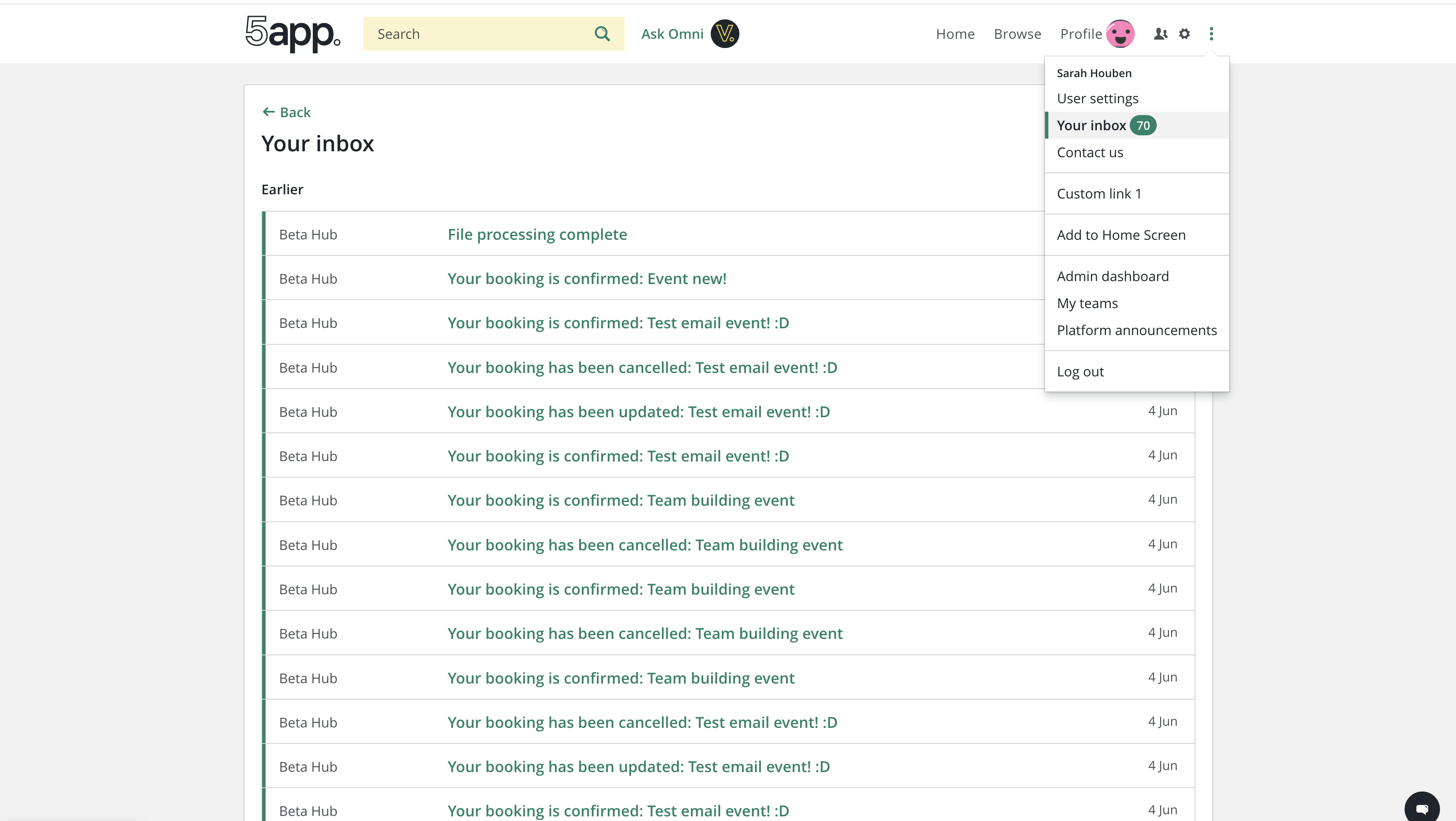
The message recorded above also appears in the Hub's in-app inbox, giving users a record of emails sent to them inside the product.
- MS Teams messages:
postTemplatedMessages()also delivers messages viasendMessageToMsTeams(), using the same message/recipient DB write, so Teams-delivered messages appear in the Hub inbox too. - API:
GET /api/messages(api/routes/messages/get.js) returns{unreadCount, messages}for the logged-in user, and excludesnewUser,invitationReminder,resetPassword, andverifyEmailAddressmessage types from the results — these emails are still recorded, they just don't appear in the visible inbox. Read state is updated viaPATCH /api/messages/:id(mark one as read) andPATCH /api/messages(mark all as read). - Frontend: the Hub's Inbox page (
frontend/src/main/components/pages/inbox/) uses a legacy Flux store (not react-query). New messages arrive either via HTTP long-polling (GET /api/poll/:userId, preferred, near-real-time) or via 60s interval polling as a fallback when long-polling is disabled.
Excluding message types from the inbox
Some templateTypes are transactional/system messages (account setup, password resets, email verification) rather than things a user needs a persistent inbox record of, so they're deliberately hidden from view.
The exclusion is a hardcoded '-type' filter, duplicated in both getMessages() and getUnreadMessagesCount() in api/routes/messages/get.js. The - prefix is dare's negation operator, compiled to SQL NOT IN (...). There's no shared constant for these type strings — to hide a new message type from the inbox, add it to both arrays.
Adding or updating email templates
We aim to have each email template available in all languages supported by the Hub.
Email templates and the email template translations are stored and maintained in the Hub email translations Google spreadsheet.
See the readme in the translations repo for instructions on how to:
- auto translate email templates in the spreadsheet
- copy them into the hub
- write a migration script to deploy them
In the Hub repo, email templates and their respective translations are stored under tools/db-migrate/emailTemplates and are added to the DB and updated in the DB using migrations.
See also: i18n
Flow
Migrations
The emailTemplates util should be utilised to update either all or selected email templates in the DB.
Usage example:
const Runner = require('../runner');
const emailTemplates = require('../emailTemplates');

const queries = [emailTemplates('userImport')]; // userImport email template is being updated

module.exports = new Runner(queries);