Creating test sites in Jenkins
Log in to Jenkins
On the home page, go to build_test_instance
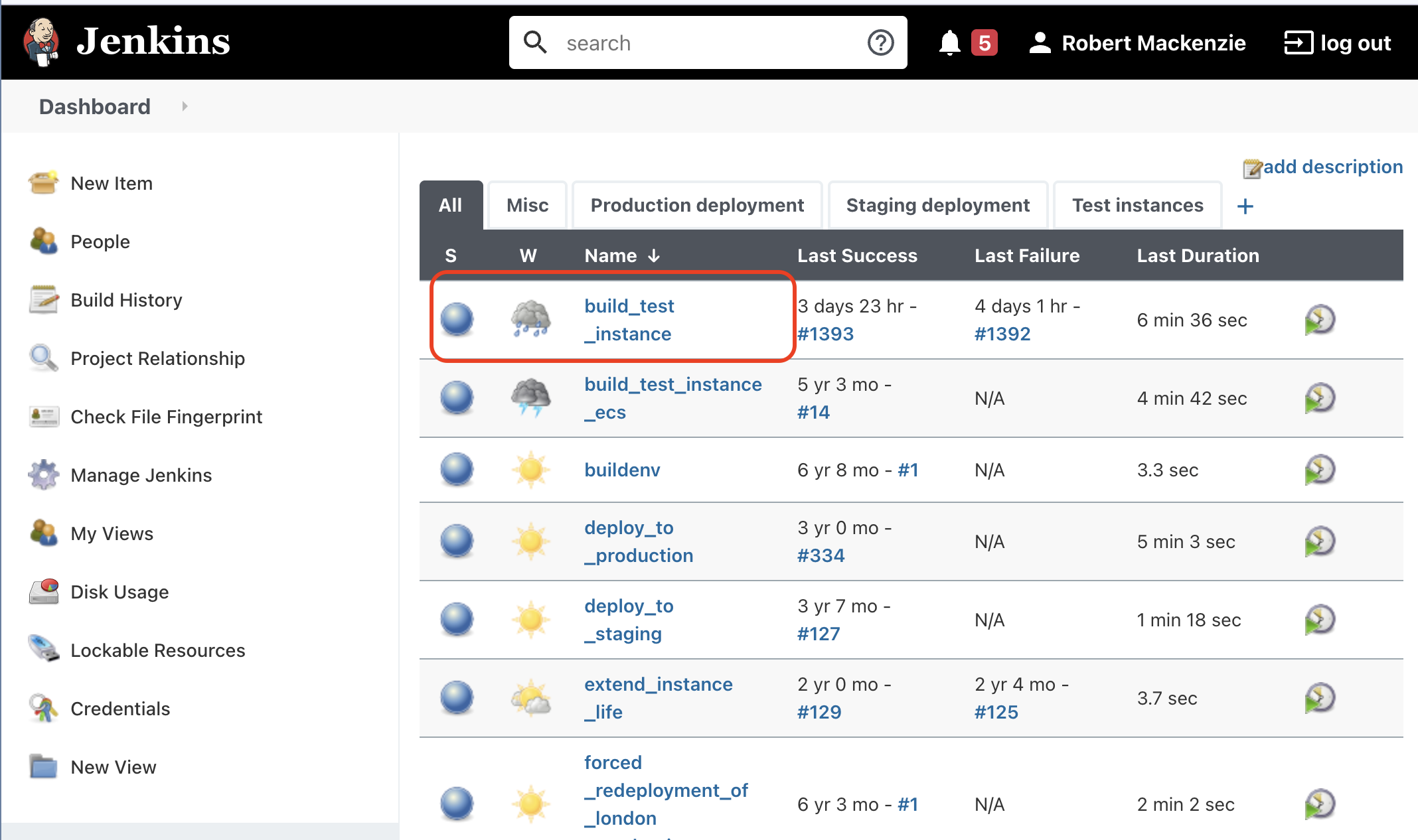
Build test instance
This lets you build a new test instance, or update the code on an existing instance.
The main things you'll use on the page are:
- Build with Parameters - build a new test site or update an existing one
- Build history - view logs from previous builds / current build
- test_instance_report - view currently live test instances, and extend their life or terminate them
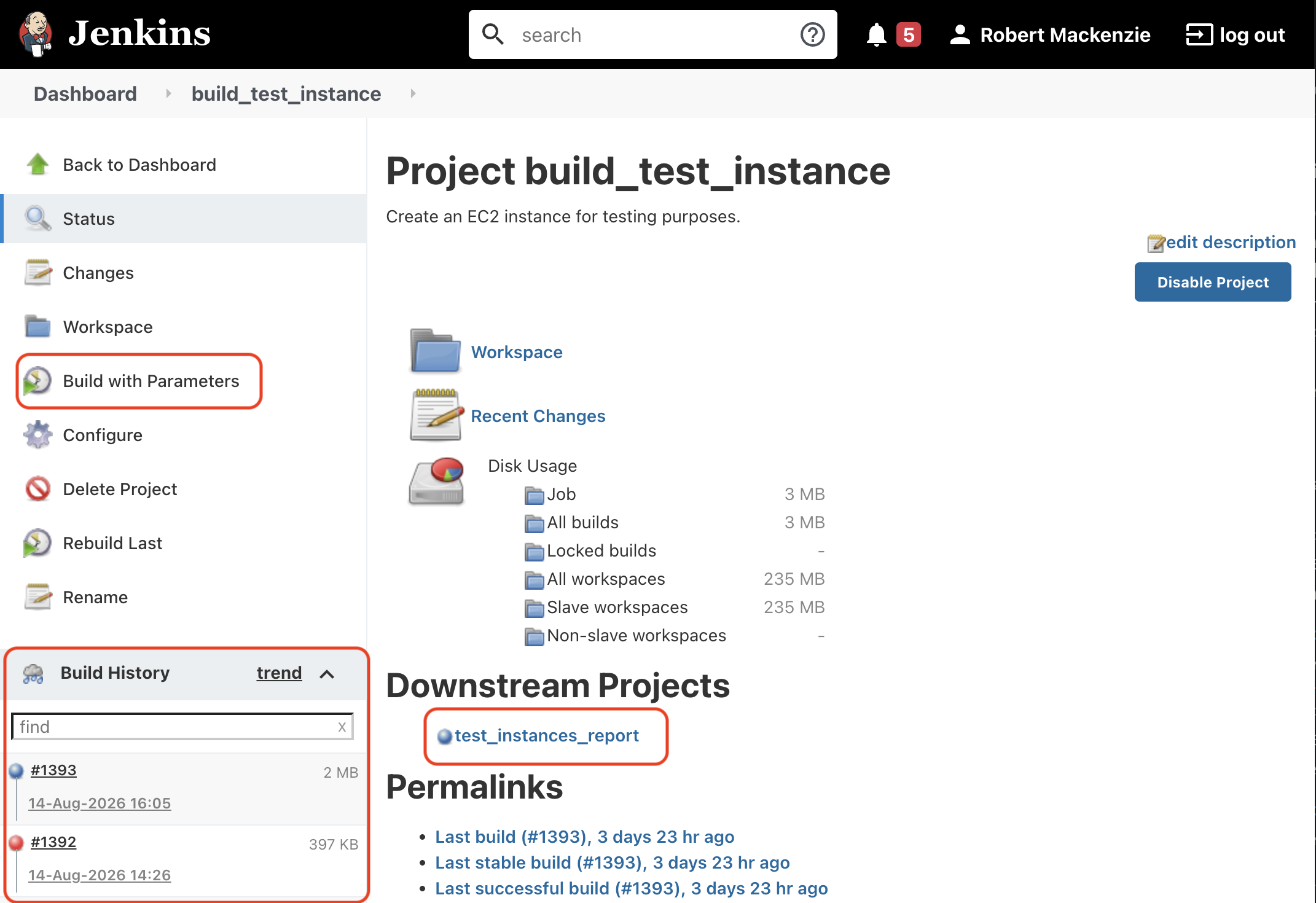
Build with Parameters
The descriptions of the parameters are thorough so read them. Some highlights of what you need to do here:
- give it a name
- DASHBOARD_SERVICES_TAG - you normally want to build a specific branch so get the commit you want the site to be based on from GitHub / CircleCI / ... e.g. dc7261b
- LIFESPAN_HOURS - only as long as you need. This sets a tag on the EC2 instance called terminate_after, you can update this tag manually for special cases
- SKIP_TERRAFORM - use when updating an existing test site
- RESTORE_SAVED_DATA / KEEP_DATA_ON_TERMINATION - if you want data to be kept even after the instance is terminated, set keep on termination, and next time you create a site with the same name, set restore saved data.
Building from feature branches
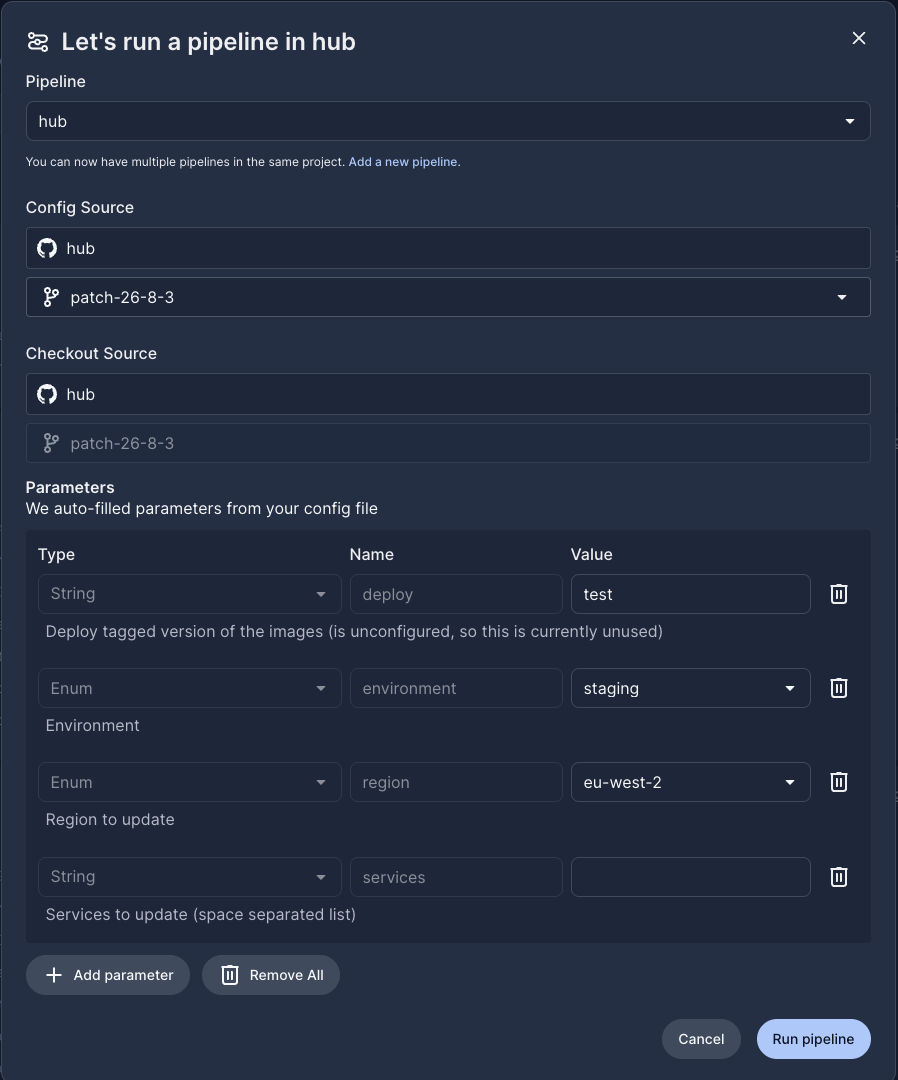
If you are building from dev/staging/main then there is nothing special to do. If you are building from a feature branch then there is an extra step to take because CircleCI doesn't create the containers and deploy the frontend for feature branches. If you run the build without this step you will see the following error in the logs. - Unable to find image '5app/appbase:dc7261b' locally
To build the containers and deploy the frontend
- go to pipelines in CircleCI
- filter to project
hubbranchyour feature branch - click the
Trigger Pipelinebutton - In the parameters, set deploy to
test, no other changes needed as the other settings are ignored - Run pipeline
This will create a new job which just builds the containers and deploys the frontend
Updating an existing test site with code changes
Call build with parameters again using the same name. Tick SKIP_TERRAFORM to speed things up
Seeing what's going on
When a build is running / finished, click on Console Output to see what's going on
Connecting to the new site
Look at the bottom of the console output for details of how to connect to the site.
The default super user account is dev+admin@5app.com
Extending the life of a test instance
- Go to the
test_instance_reportproject - Click on Workspace/running_instances.html
- Click on
extend instance life
Terminating instances
- Instances are terminated by a job which runs every hour based on the termination tag. There is a termination now button in the test instance report but it doesn't seem to work for me
Security
These test sites are not as secure as prod and staging, the databases are available over the internet with a weak password. Do not put sensitive data into them.
Jenkins
Jenkins is hosted on an EC2 instance. It uses the LDAP server for authentication. See the deployment repo for details.